
Edible Cake Wrap Problems: Won’t Peel, Bubbles, Too Short or Misaligned
A troubleshooting guide for icing sheet cake wraps: stuck backing, bubbles, a wrap that comes up short, a join that misses and smeared ink.
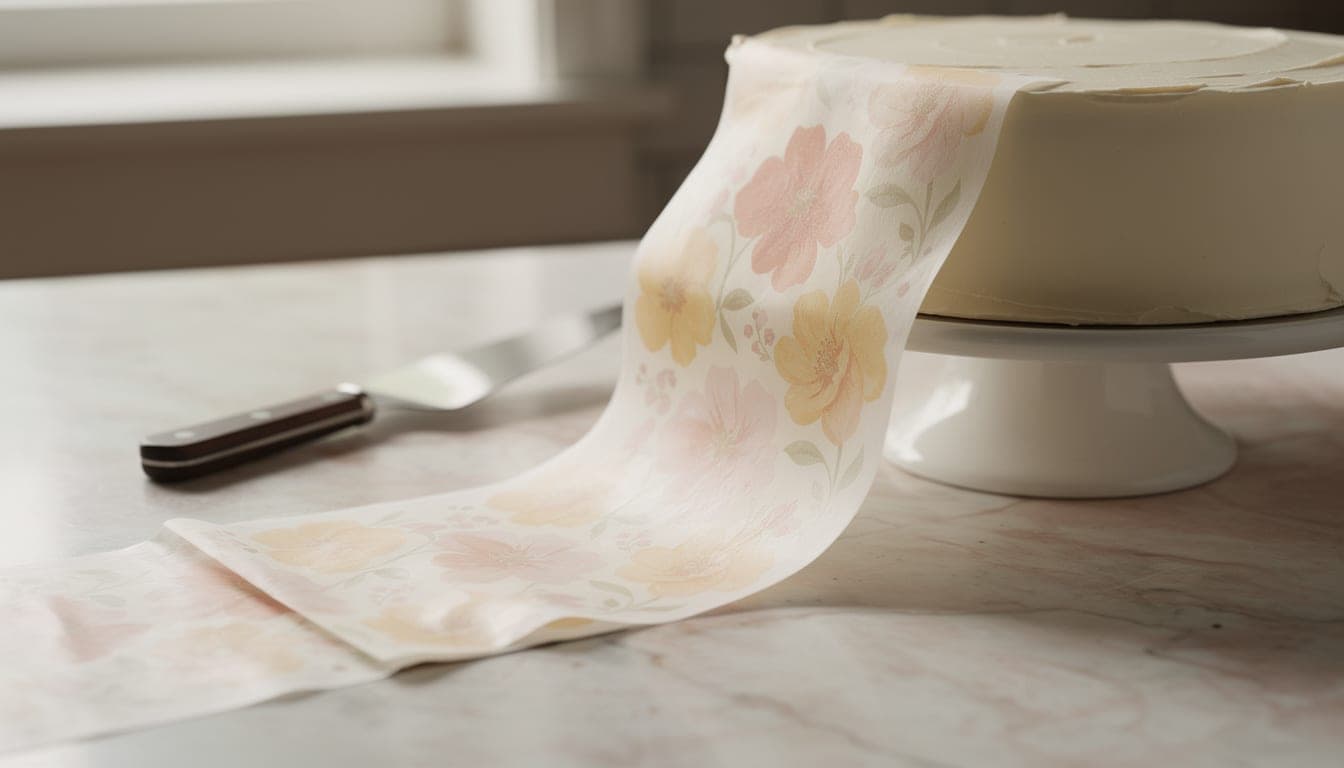
Edible cake wrap problems at a glance
Most edible cake wrap problems have one of five causes: a sheet stuck to its backing, air trapped under the icing sheet, a length measured from the tin instead of the iced cake, a PDF printed at the wrong scale, or ink printed on the plastic peel tab. Each one has a quick fix, and each is easy to prevent next time.
If your edible image won’t peel off the backing, a 10–20 second freeze is the usual cure. If the wrap is too short, add another strip of exactly the same height. Find your symptom in the table, then jump to its section. A “wrap” here means a strip of printed icing sheet (frosting sheet) that goes round the side of a cake.
| Problem | Likely cause | First fix |
|---|---|---|
| Backing won’t come off | The sheet is stuck fast to its backing | Freeze for 10–20 seconds, no longer, then peel |
| Bubbles or blisters | Trapped air, or a crusted surface | Press from the centre outwards and release the air with a pin |
| Wrap is too short | Measured as the tin, so the icing was missed | Add another strip of exactly the same height |
| Ends don’t meet at the back | The PDF was printed scaled | Measure the 50 mm check line, then reprint at Actual size |
| Smeared ink at one end | Printed over the clear peel tab | Reprint with the strips clear of the tab |
| Sheet slips or jams | Glossy back, damp sheet or a loose roller part | Feed one dry sheet at a time from the rear tray |
| Colours look dull | Dark frosting underneath | Use a light base, or thin white fondant behind the image |
The edible image won’t peel off the backing
Cause: the icing sheet has bonded to its plastic backing, and pulling harder only tears it.
Fix: Rose Bakes suggests freezing the sheet for 10–20 seconds if the backing won’t release. Don’t go longer. Take it out, lift one corner and peel the backing away.
Prevention: we haven’t found a reliable way to stop a stubborn sheet, so the best defence is not wasting good ones. Print a plain-paper test first, cut it and wrap it round the cake to check the fit. That way you only peel the real sheets once, and only when the length is right.
Bubbles under the wrap
Cause: Cake Central bakers point to two things: trapped air, and a surface that has crusted.
Fix: press from the centre outwards so the air is pushed to the edge, and release any bubble with a pin, as Rose Bakes advises.
Prevention: Rose Bakes says buttercream should be well chilled and firm before you apply the image, and that a very thin coat of corn syrup on the back helps it stick. Avoid putting the wrap on a surface that has been left to crust over. On fondant, put the image on after the fondant is on the cake, because fondant stretches (Cake Central). Our guide to applying an edible wrap to a cake walks through the whole process.
The wrap is too short
Cause: the wrap was measured as the tin, so the icing was missed. Icing makes the cake bigger all the way round. On an 8″ (203 mm) round, the length round the cake changes with the thickness of the coat:
| Icing thickness | Length round the cake |
|---|---|
| Bare tin | 638 mm |
| 3 mm | 657 mm |
| 5 mm | 670 mm |
| 10 mm | 701 mm |
A 5 mm coat adds about 31 mm, so a wrap cut to the bare tin is about 3 cm short and won’t meet. Every 1 mm of icing adds roughly 6.3 mm round the cake. The designer assumes 5 mm of icing and adds a 10 mm overlap at the back, so the two ends meet under it.
Fix: don’t stretch it. Cake Central says a wrap that is too short needs another strip of exactly the same height. In our own cake we piped buttercream rosettes over each join, which makes an extra strip look deliberate.
Prevention: measure the finished, iced cake with string or a soft tape, as Cake Central recommends, and cut a paper template first. A tape measure round the iced cake is the most reliable number, and the designer accepts it directly. If you only know the tin size, the free cake wrap size calculator works it out, and there are pages for each size, such as the 8-inch cake, the 6-inch cake and the 10-inch square cake. Our measuring guide covers it step by step.
The wrap doesn’t line up at the back
Cause: if the length is right but the ends still miss, the PDF was almost certainly printed scaled. Printing at “Fit to page” instead of 100% is the main reason a wrap comes out wrong.
Fix: every sheet in the designer’s PDF has a 50 mm check line. Lay a ruler along it. If it doesn’t measure 50 mm, reprint at 100% / Actual size. If it does measure 50 mm, the scale is fine and the cake is the likely culprit, so check the length against the iced cake (see above).
Prevention: set the print scale before every job. Our A4 printing guide shows the settings. When you assemble:
- Start with piece 1 at the back of the cake.
- Lay each next piece to meet the tick marks on the one before. Pieces overlap by 6 mm where they join, so the joins are hidden.
- The last piece’s end goes over the start of piece 1, at the back.
Smeared ink at one end of the strip
Cause: many icing sheets have a clear plastic strip across one end with no icing on it. Ink printed there smears, so if a strip ran over that end, that is your smear.
Fix: reprint on a fresh sheet with the strips placed clear of the tab. This is what happened to us when we printed real wraps on a Canon TS705: printing over the peel tab smeared, so we moved the strips clear of it. It is also why the designer now asks the question.
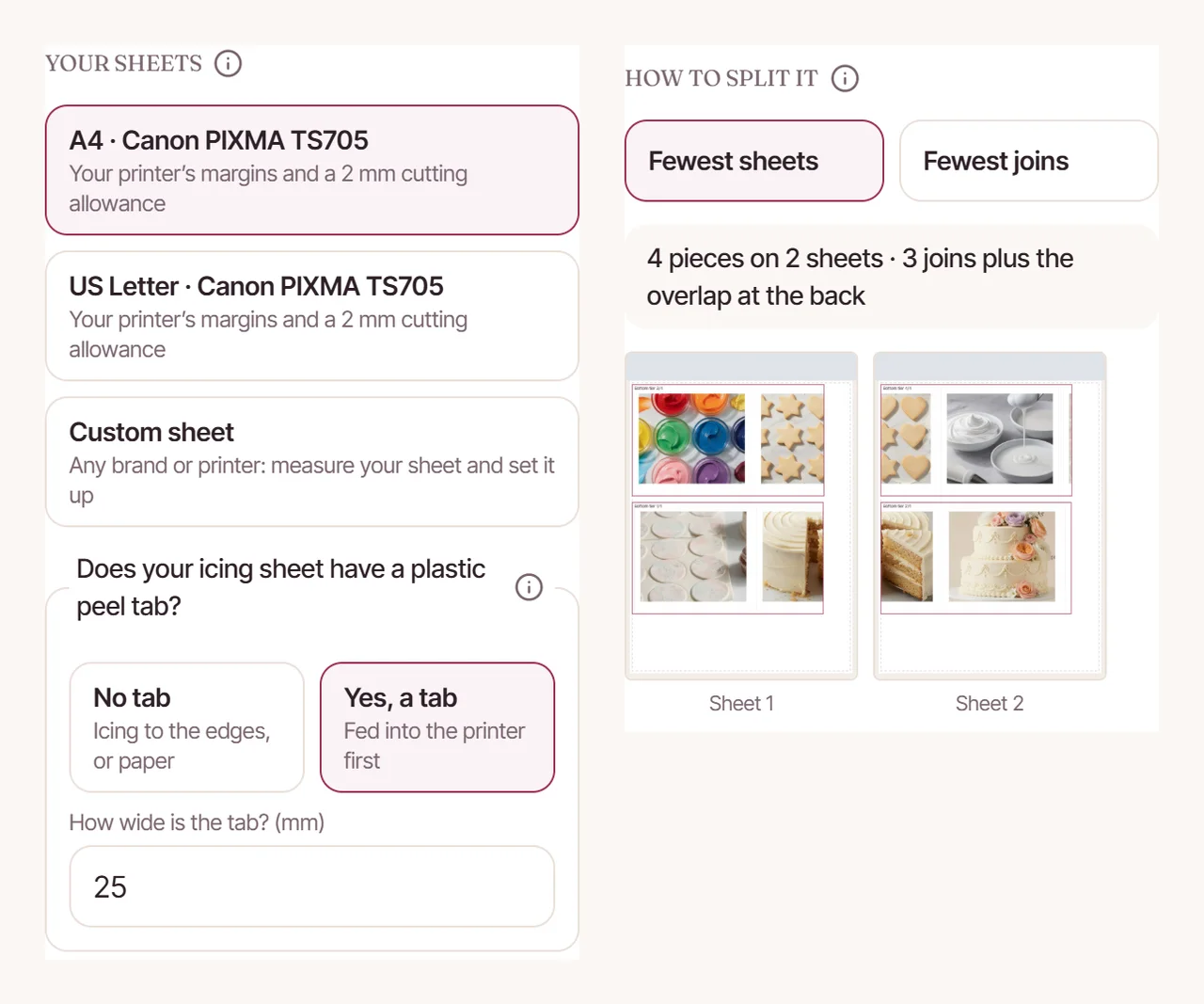
Prevention: answer the peel tab question before you print. In the designer it starts at 25 mm, but measure yours, because sheets differ. Feed the tab end into the printer first. Note that a tab can change the layout: with a 25 mm tab a 6″ round becomes 3 pieces on 2 sheets, and a 10″ round becomes 5 pieces on 3 sheets. The other common sizes don’t change.
The sheet slips or jams in the printer
This one comes from our own experience, not a universal rule. We printed on 7 October 2026 on a Canon TS705, feeding icing sheets one at a time from the rear tray, with a matte photo paper type chosen in the printer settings. Here is what we found:
- A glossy-backed sheet slipped and jammed.
- A sheet fed while it was damp left the rollers struggling to grip.
- The printer kept jamming until a roller part, removed during cleaning, was refitted.
So: feed one dry sheet at a time, check the sheet’s back isn’t glossy, and make sure nothing you took out during cleaning is still on the desk. Other printers and sheets will behave differently. Our Canon TS705 edible printing guide has the full set of notes.
Colours look dull or run
Cause and fix: Rose Bakes says light frosting colours work best. On dark frosting, put thin white fondant behind the image, so the print sits on a pale base.
Prevention: keep finished cakes out of the fridge, and apply the image no more than 48 hours ahead, both per Rose Bakes. If you are using wafer paper instead, remember it doesn’t meld into the icing the way an icing sheet does (paper2eat), so it looks and behaves differently. See icing sheets vs wafer paper before you choose.
Checks before you print
Most of the problems above are decided before the printer starts. Four checks are worth the two minutes:
- Measure round the iced cake, or choose your icing thickness in the calculator.
- Say whether your sheet has a peel tab, and measure it.
- Print at 100% / Actual size and measure the 50 mm check line.
- Print a plain-paper test and wrap it round the cake before using a real sheet.
Once it fits, you can get creative. See our photo cake wrap ideas and Christmas cake wraps.
Set your icing thickness, say whether your sheet has a peel tab, preview the cake in 3D and print the strips at the right size. A tool for CakeyTops members.
Frequently Asked Questions
How long should I freeze an icing sheet to get the backing off?
Rose Bakes recommends 10–20 seconds, and no longer. Take it out, lift a corner and peel the backing away slowly.
Can I fix an edible wrap that is too short?
Yes. Cake Central says to add another strip of exactly the same height. Hide the join with piping, such as a row of buttercream rosettes.
Why is there a gap at the back even though I measured?
Check the 50 mm line on the printed sheet. If it measures less or more than 50 mm, the PDF was scaled, so reprint at 100% / Actual size. If it measures 50 mm, check that you measured the iced cake and not the tin.
Why does my edible wrap crack?
We haven’t tested this or found a reliable source, so we won’t guess. Two related points: don’t stretch a short wrap to make it meet (add a strip instead), and with fondant, apply the image after the fondant is on the cake because fondant stretches.
Can I put an edible wrap on dark frosting?
Rose Bakes says light frosting colours work best. On dark frosting, use thin white fondant behind the image.
Use the tool from this guide
Open the relevant CakeyTops tool and put the advice above to work straight away.
Keep reading
How to Measure a Cake for an Edible Wrap (Tin or Tape Measure)
Why “diameter × 3.14” leaves an edible wrap short, and two reliable ways to measure the iced cake instead, with round and square examples.
TutorialHow to Print an Edible Cake Wrap on A4 Icing Sheets
A cake wrap is longer than any sheet, so it prints in pieces. Here is how the pieces overlap, where the joins go, and the print settings that stop a wrap coming out the wrong size.
TutorialHow to Put an Edible Wrap Round the Side of a Cake
A step-by-step guide to wrapping an icing sheet round a cake, from chilled buttercream or fondant to hiding the joins under piping.