
How to Print an Edible Cake Wrap on A4 Icing Sheets
A cake wrap is longer than any sheet, so it prints in pieces. Here is how the pieces overlap, where the joins go, and the print settings that stop a wrap coming out the wrong size.
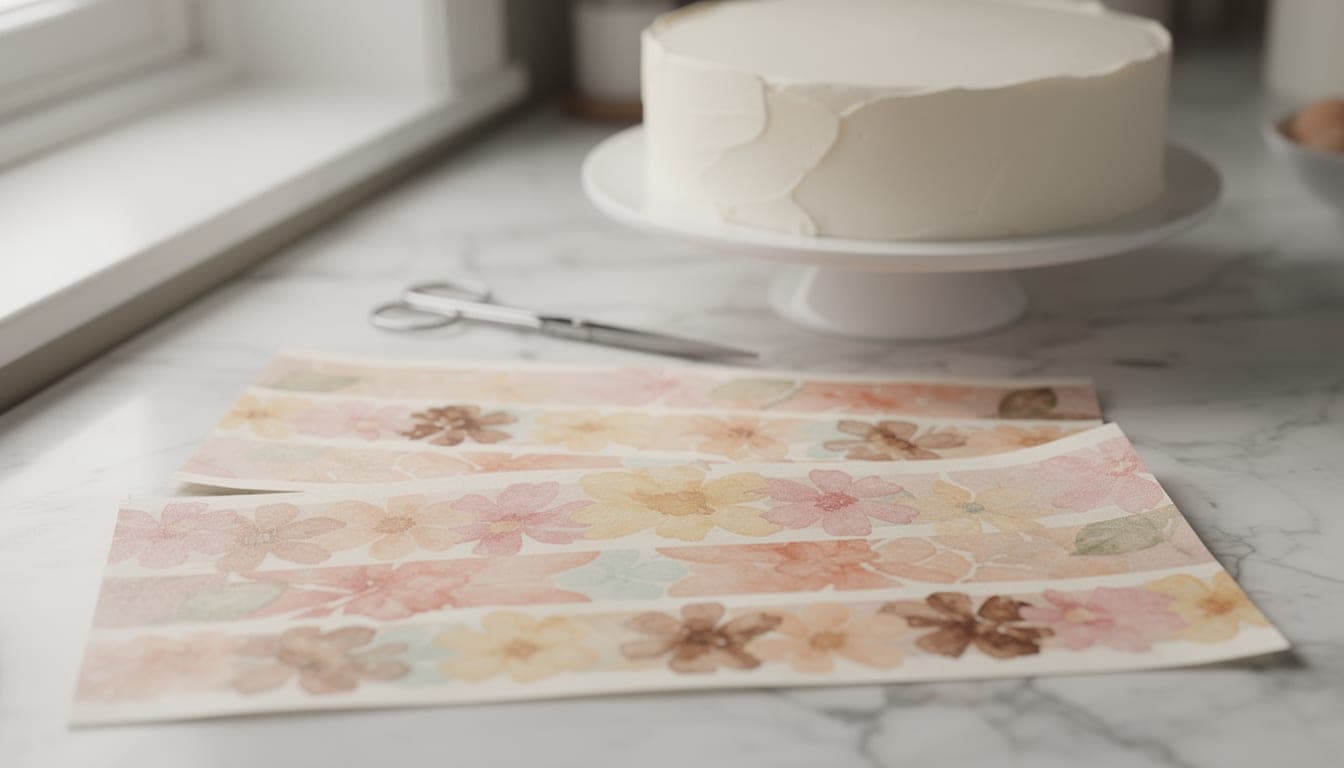
You can print an edible cake wrap on A4 icing sheets at home, but not in one go. A wrap is longer than any single sheet, so it is cut into numbered pieces that overlap slightly and print across several sheets. If you are in the US, the same ideas apply to US Letter sheets, but the piece and sheet counts below are for A4, so check your own sheet size before you work out how many sheets to buy.
The short version: print every sheet at 100% (Actual size), never Fit to page, check the 50 mm line with a ruler, and do a plain-paper test first. The rest of this guide explains why each of those matters, and what we found when we printed real wraps on a Canon TS705.
Why an edible cake wrap on A4 is split into pieces
An 8″ round cake with a 5 mm coat of icing (frosting) needs a wrap about 670 mm long. An A4 sheet is nowhere near that. Even a strip 4″ tall doesn’t fit twice across the sheet, so you can’t simply stack two long strips and call it done.
So the planner works the other way round. It tries laying strips along the sheet and across it, and picks whichever arrangement uses the fewest sheets. Each strip becomes a numbered piece. You print, cut on the grey lines and join them round the cake.
Not sure how long your wrap needs to be? Start with our guide to measuring a cake for an edible wrap, or use the free cake wrap size calculator. Icing thickness changes the length more than most people expect: a 5 mm coat adds about 31 mm round an 8″ cake.
How the pieces overlap
There are two different overlaps, and it helps to keep them apart.
- 6 mm at each join. Where one piece meets the next, they overlap by 6 mm so the join is hidden and a slightly off cut doesn’t leave a gap.
- 10 mm at the back. The designer adds a 10 mm overlap where the two ends of the whole wrap meet, so the last piece goes over the start of piece 1 at the back of the cake.
Each piece has a cut line, a label with its piece number, and small tick marks showing where the next piece overlaps. When you assemble the wrap, you line the next piece up with those ticks. Our guide to applying an edible wrap to a cake covers that part.
Why “fewest sheets” can mean more joins
The default aim is to buy and print as few icing sheets as possible, because sheets cost money. That isn’t the same as fewest joins. Sometimes packing strips more tightly onto two sheets gives you more, shorter pieces than spreading them over three.
Here is what that looks like for a 4″ tall wrap with a 5 mm coat and a 10 mm overlap, on A4 with the Canon TS705 margins:
| Cake | Round the cake | Printed length | A4 pieces | A4 sheets |
|---|---|---|---|---|
| 4″ round | 351 mm | 361 mm | 2 | 1 |
| 6″ round | 510 mm | 520 mm | 2 | 2 |
| 8″ round | 670 mm | 680 mm | 4 | 2 |
| 10″ round | 829 mm | 839 mm | 3 | 3 |
| 12″ round | 989 mm | 999 mm | 6 | 3 |
| 8″ square | 844 mm | 854 mm | 5 | 3 |
Look at the 8″ and 10″ rows. The 8″ wrap is shorter but needs 4 pieces, while the 10″ wrap needs only 3 pieces and uses an extra sheet. Fewer sheets, more joins. If you would rather have fewer joins and don’t mind spending another sheet, that is a perfectly reasonable choice, and joins hidden under piped buttercream matter less anyway.
For other sizes, the calculator has them all. Try the 8″ cake or 10″ cake pages, or the 8″ square cake page for corners.
Joins, faces and the peel tab
Put the joins in the gaps
If your wrap is a row of photos, the best place for a join is the gap between two photos. The designer places joins in those gaps where it can. We say “usually” rather than “always”: a busy design with little gap may still force a join through a picture, so check the sheet preview before you print.
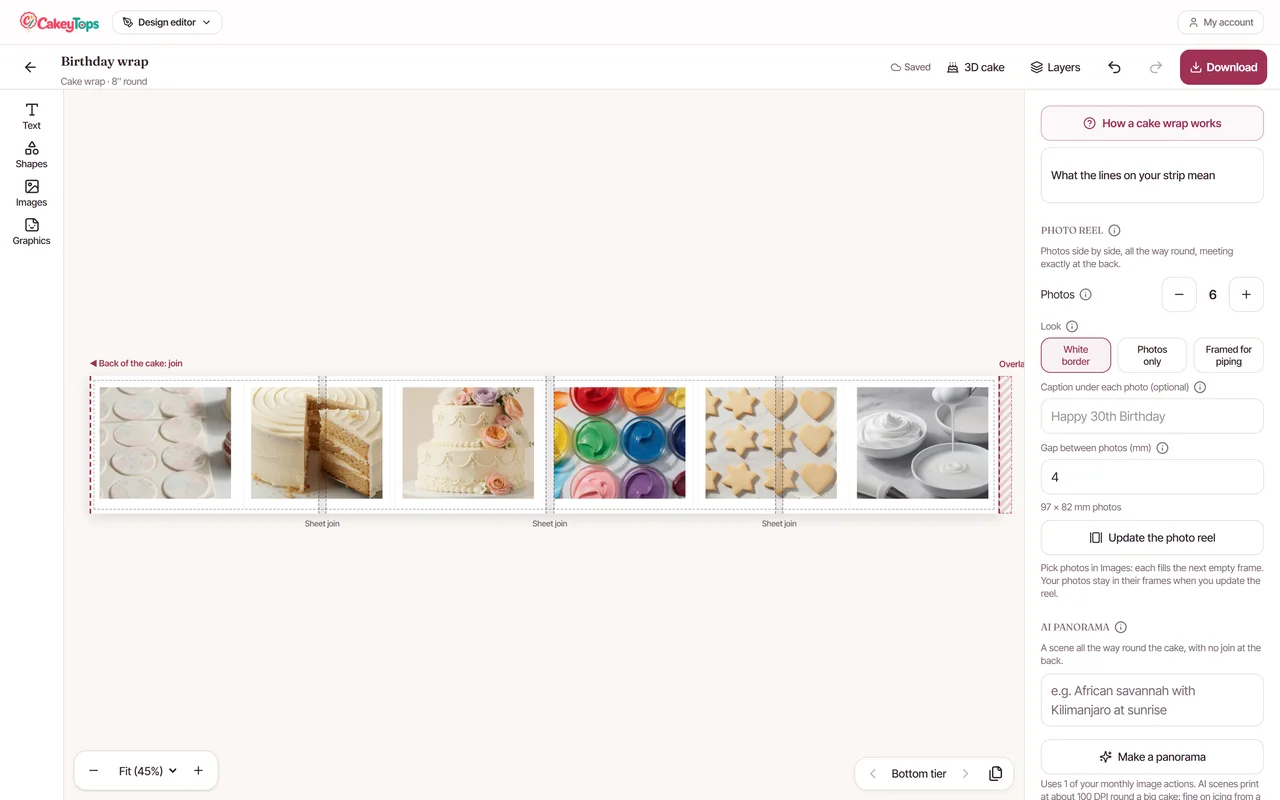
A “Framed for piping” layout goes one step further. It leaves 12 mm gaps between photos and 8 mm above and below, so you can pipe buttercream round each photo, and the piping hides the joins too.
Keep strips off the peel tab
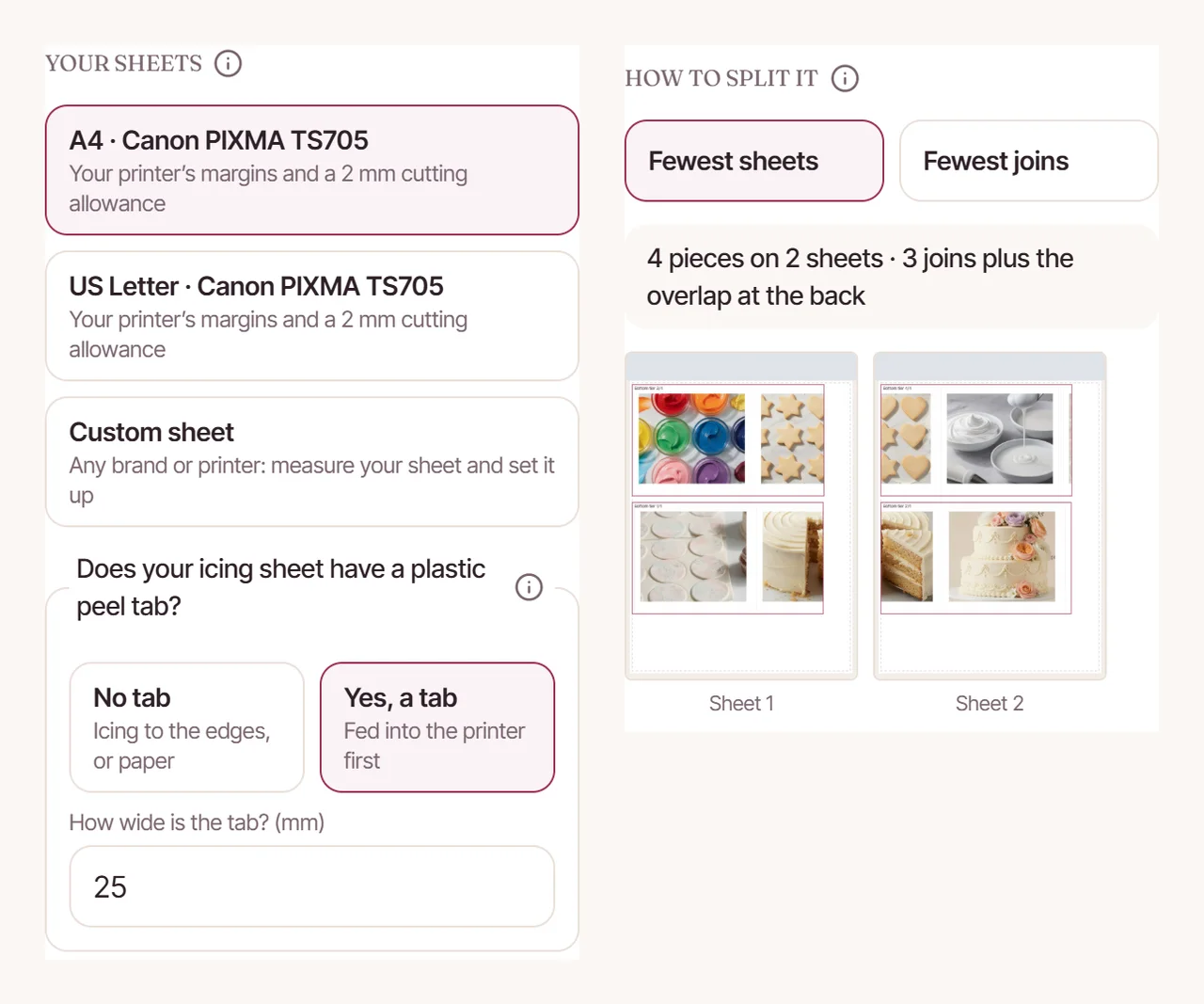
Many icing sheets have a clear plastic strip across one end with no icing on it, the peel tab. Ink printed there smears. In the designer you say whether your sheet has one. It starts at 25 mm, but measure your own sheet because brands differ. Then feed that end into the printer first.
It can change the plan. With a 25 mm peel tab, the 6″ wrap becomes 3 pieces on 2 sheets, and the 10″ wrap becomes 5 pieces on 3 sheets. The other sizes in the table don’t change.
Bleed: why the strips are a little taller than the wrap
Each strip gets 1.5 mm of bleed above and below. Bleed is just extra image beyond the cut line. If your scissors wander slightly, the cut edge still falls on picture, not on a thin white line of bare icing sheet.
The usable area on an A4 sheet depends on your printer. On a Canon TS705 the designer uses margins of 3 mm at the top, 5 mm at the bottom and 3.4 mm at the sides. Allowing 2 mm for cutting leaves a usable area of 199.2 × 285 mm for strips. Another printer has different margins, so don’t assume these numbers carry over.
Print at 100% (Actual size), never Fit to page
This is the setting that most often ruins a wrap. Print dialogs love to helpfully shrink or enlarge a PDF to fit the paper. Even a small change in scale means your wrap no longer reaches round the cake, and the 6 mm overlaps no longer line up.
- 1
Choose 100% or Actual size
In the print dialog, pick 100% or Actual size. Turn off anything called Fit, Shrink to fit or Scale to page. - 2
Print one page and find the check line
Every sheet has a 50 mm check line printed on it. Lay a ruler along it. - 3
Confirm it measures 50 mm
If it is longer or shorter, the print was scaled. Stop, fix the setting and try again before you waste more sheets.
Check the line on every sheet, not just the first. It takes seconds and it is the quickest way to catch a scaling mistake.
Test print on plain paper, then print every sheet in one go
The plain-paper test
The designer has a test print option for plain paper. Print it, cut it on the grey lines and wrap it round the cake, which is the same idea as cutting a paper template before you cut the real thing. It shows you straight away whether the wrap meets at the back and whether the joins land where you expected, for the cost of a sheet of copier paper rather than an icing sheet.
Then print the real sheets together
Once the test fits, print all the icing sheets in one go, from the same pack. Sheets from different packs or different sessions can look slightly different side by side, and a join is where you would notice. Printing them together from one pack gives you the best chance of a match.
What we found on the Canon TS705
- We fed icing sheets one at a time from the rear tray, with a matte photo paper type set in the printer settings.
- A glossy-backed sheet slipped and jammed.
- A sheet that was fed while damp left the rollers struggling to grip.
- The printer kept jamming until a roller part that had been removed during cleaning was refitted.
Those are our experiences with one printer, not universal rules. More detail is in our guide to edible printing on a Canon TS705, and our edible printing supplies guide covers inks and sheets.
Choose a layout, see the join guides on the cake and get a PDF split into numbered pieces. The designer is for CakeyTops members.
Frequently Asked Questions
Can I print an edible cake wrap on US Letter sheets?
The same method applies, but this guide’s piece and sheet counts are for A4. Letter sheets are a different size, so the number of pieces and sheets will differ. Check the sheet size you have chosen in the print panel before you buy a pack.
Why is my printed wrap too short?
The usual cause is a PDF printed with Fit to page, which scales it down. Print at 100% (Actual size) and measure the 50 mm check line with a ruler. The other cause is measuring the tin instead of the iced cake, since icing adds length round the outside.
Do I need to print a test on plain paper first?
We would. A plain-paper test costs almost nothing and shows whether the wrap reaches round the cake and where the joins fall. An icing sheet is a much more expensive place to find out it is the wrong length.
Why does the planner use more pieces to save a sheet?
Its default is the fewest sheets, because sheets are the part that costs money. Packing strips onto fewer sheets can mean more, shorter pieces and so more joins. If you prefer fewer joins and don’t mind an extra sheet, that is your choice to make.
What is the plastic strip on my icing sheet?
Many icing sheets have a clear plastic peel tab across one end with no icing on it. Ink printed over it smears, so strips need to stay clear of it and that end should go into the printer first. Measure the tab on your own sheets.
Use the tool from this guide
Open the relevant CakeyTops tool and put the advice above to work straight away.
Keep reading
How to Measure a Cake for an Edible Wrap (Tin or Tape Measure)
Why “diameter × 3.14” leaves an edible wrap short, and two reliable ways to measure the iced cake instead, with round and square examples.
TutorialHow to Put an Edible Wrap Round the Side of a Cake
A step-by-step guide to wrapping an icing sheet round a cake, from chilled buttercream or fondant to hiding the joins under piping.
GuidePrinting Edible Images on a Canon TS705: What Worked for Us
First-hand notes from printing cake wraps on our own Canon TS705: loading, settings, margins and the three things that jammed it.