
AI Cake Design: Generate Cake Ideas & Client Mockups from a Text Prompt
Stuck for a design, or trying to agree one with a client before you commit? An AI image generator turns a sentence into a cake visual in seconds. Here is how to use it for ideas and mockups — without over-promising.
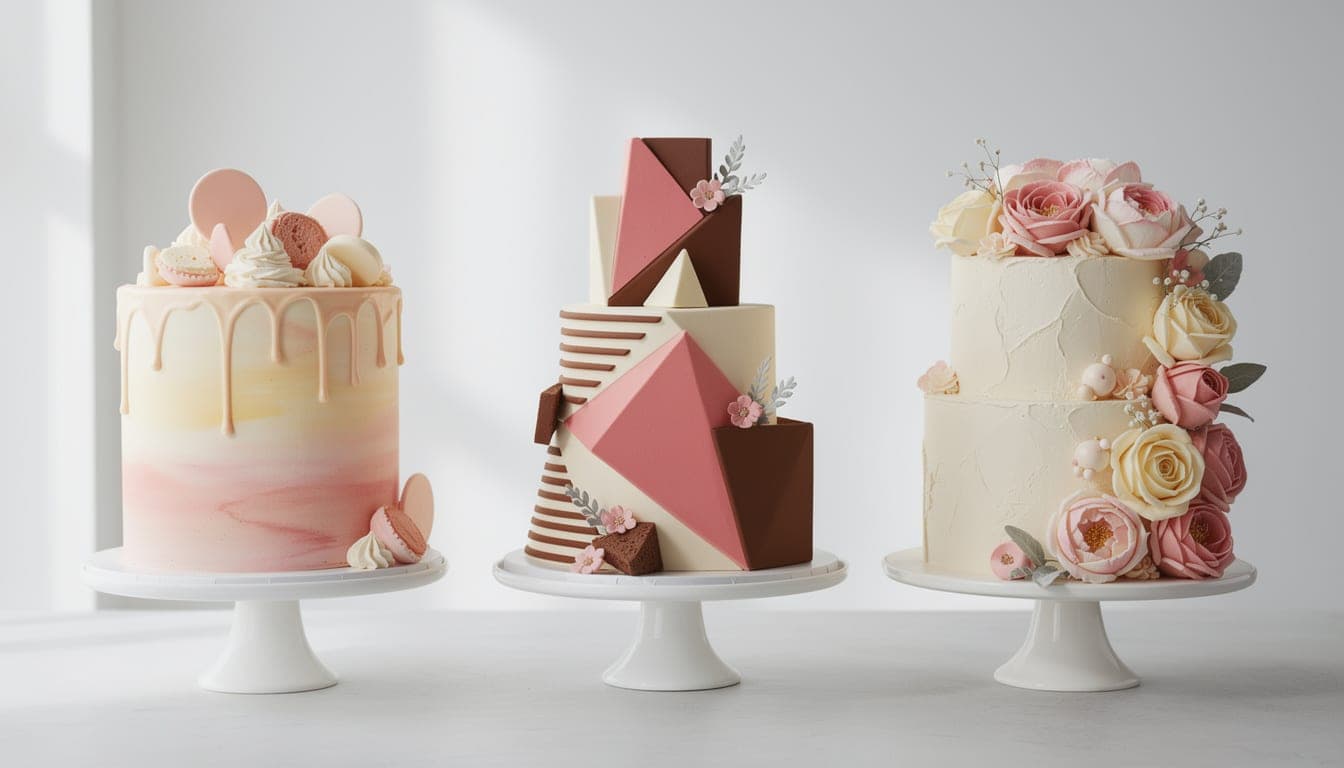
Two of the hardest parts of a custom cake happen before you switch the oven on: deciding what to make, and getting the client to agree on it. An AI image generator helps with both. Describe a cake and it produces a visual in seconds — useful for breaking a creative block and for showing a customer roughly what they will get. Here is how to use it well, and where to be careful.
What an “AI cake design generator” actually is
There is no special “cake AI” magic — it is a general text-to-image model that happens to be very good at drawing cakes. You type a description, the model generates an image. Our AI Image Generator uses FLUX.2 Pro, which renders food and decoration convincingly, with 100 monthly AI actions in a CakeyTops membership to experiment with. That makes it cheap enough to generate five concepts for a single enquiry and pick the best direction.
Use 1: brainstorm designs and beat the blank page
When a brief is vague — “something autumnal for a 60th” — generating a few visuals is faster than sketching and gets ideas flowing. Try the same theme in different styles (rustic semi-naked, elegant fondant, bold modern) and you will quickly see which direction feels right. You are not committing to anything; you are using images to think.
Use 2: show a client a mockup before you bake
Most custom-cake disputes come from a mismatch between what the client pictured and what they received. A quick mockup closes that gap. Generate a visual, share it, and adjust the prompt until the customer says “yes, that.” You both start from the same picture, which protects you when the cake is finished.
- 1
Gather the brief
Number of tiers, shape, colour palette, finish (buttercream, fondant, drip), theme, and any must-haves like fresh flowers or a particular flavour shown on a board. - 2
Write a specific prompt
Turn the brief into one sentence: “a two-tier round cake, smooth ivory buttercream, dusty-blue and gold accents, fresh roses cascading down one side, on a white cake stand, soft daylight.” Specifics are what separate a useful mockup from a generic one. - 3
Generate and iterate with the client
Run it in the AI Image Generator, choose a photorealistic preset and a 4:3 or 3:4 ratio, and share the result. Change one thing at a time — “make the flowers blush pink” — until it is agreed. - 4
Save the agreed mockup
Every image is stored in your cloud library, so keep the approved version as your reference and your record of what was signed off.
| Method | Speed | Best for |
|---|---|---|
| AI mockup from a prompt | Seconds | Bespoke ideas, fast iteration, a shared picture |
| Reference photos (Pinterest etc.) | Minutes | Proven looks, but rarely the exact brief |
| Hand sketch | Slower | Personal touch and exact structure you know you can build |
Turn a brief into a cake visual in seconds. Membership includes 100 monthly AI actions, premium FLUX quality, and your own cloud library.
From agreed mockup to an accurate quote
Once the design is settled, the visual tells you how much cake you are actually building — which drives both servings and price. Use the serving calculator to confirm the tiers feed the guest count, and the pricing calculator to cost ingredients, time and overheads before you send a number. A great mockup that loses you money is not a win; pairing the design step with the maths keeps custom work profitable.
Designing toppers rather than whole cakes? The same generate-then-clean-up workflow applies — see how to design a custom cake topper with AI.
Frequently Asked Questions
How much does the AI cake design generator cost?
The CakeyTops AI Image Generator is included with a CakeyTops membership at £4.99 per month. You get up to 100 AI actions per billing period to describe a cake — tiers, colours, finish, and theme — then generate, refine, and save the visual.
Can I use AI to show a client a cake design before baking?
That is one of its best uses. Generate a mockup from the brief, share it, and adjust the prompt until the client approves. You both work from the same picture, which prevents the “that is not what I imagined” problem when the cake is delivered. Always flag it as an artist’s impression.
Are AI-generated cakes always bakeable?
No. AI images can depict structures that would not stand up or decoration that would not hold, because the model draws what looks good rather than what is physically possible. Treat the output as a concept and apply your own decorating knowledge to what you actually build.
How do I make the AI cake look like what I want?
Be specific. State the number of tiers, the shape, the exact colours, the finish (buttercream, fondant, drip), the theme, and details like flowers or a cake board. Then change one element at a time when refining, rather than rewriting the whole prompt.
Can I use the cake images commercially?
Images you generate are yours to use, including in client proposals and on social media. They are concept visuals, so present them honestly as a guide to the design rather than a photo of the finished cake.
Ready to turn the idea into artwork?
Membership includes up to 100 AI actions for £4.99 a month, alongside unlimited print downloads and every design tool. The first 3 days are free.
Keep reading
How to Design a Custom Cake Topper with AI (No Design Skills Needed)
You no longer need design software or drawing skills to make a one-of-a-kind topper. Describe what you want, generate the artwork with a CakeyTops membership, then use the topper editor to prepare it for print.
TutorialHow to Write AI Image Prompts for Cake & Cookie Designs (with Examples)
The difference between a generic AI cake and exactly the design you pictured is the prompt. Here is a simple formula, the style words that actually work for baking, and ready-to-use examples you can copy.
BusinessAn AI Image Generator for Bakery Businesses: Logos, Menus & Social Posts
Stock photos look generic and a photographer is expensive. An AI image generator can fill the gap for a small bakery — social posts, menu graphics, banners, even logo concepts. Here is how to use it well and honestly.