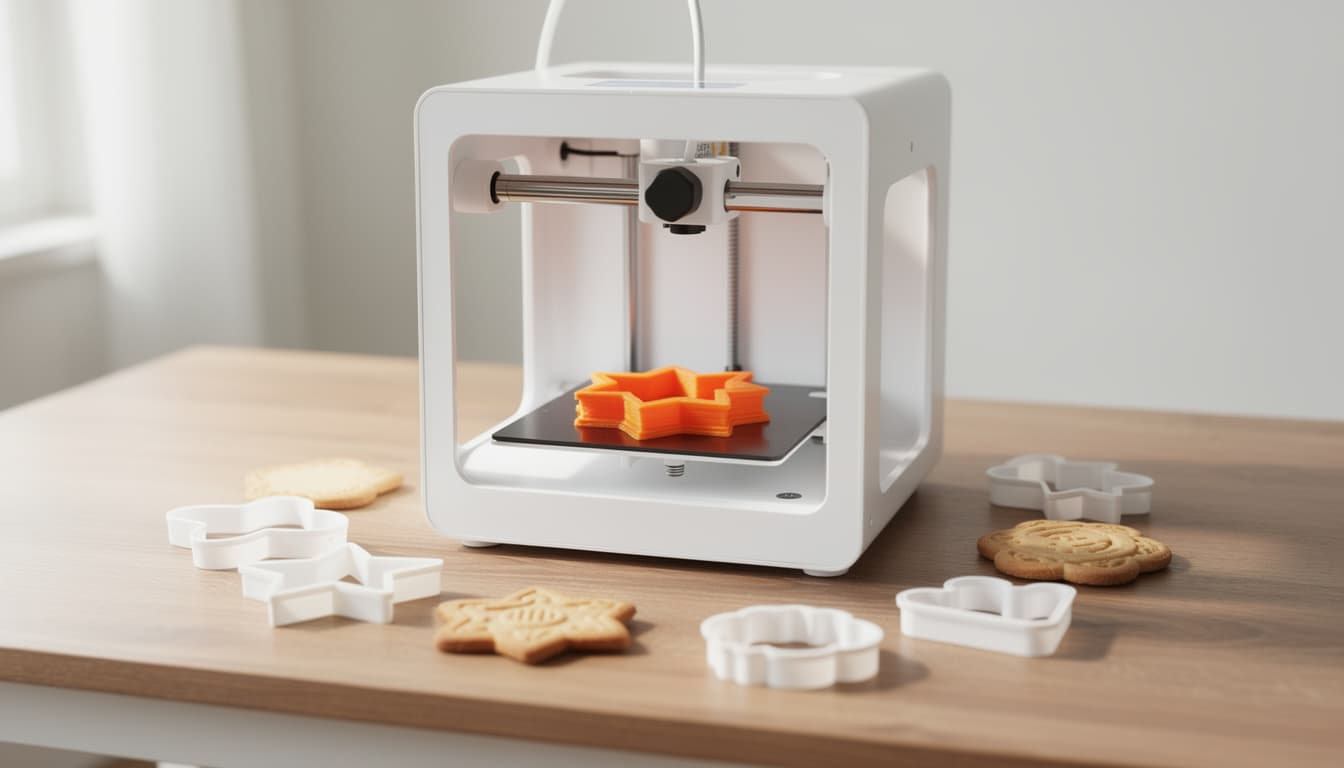
Best 3D Printer for Cookie Cutters in 2026 (Beginner's Guide)
You can design a custom cookie cutter outline in your browser — but you need a 3D printer to make it real. Here is the best beginner-friendly printer for cutters, the food-safe filament rules, and the full SVG-to-cutter workflow.
8 min readBy CakeyTops Team
Our Cookie Cutter Maker turns any image into a clean, print-ready cutter outline, included with a CakeyTops membership — but a file is not a cutter. To make it real you need a 3D printer. The good news: you no longer need to be a tinkerer to own one. Here is the best beginner-friendly printer for cookie cutters in 2026, the food-safety rules that actually matter, and how to go from outline to physical cutter.
Do you really need a 3D printer for cookie cutters?
If you only ever use standard shapes, no. But the moment you want a cutter that does not exist on the shelf — a client's logo, a specific character pose, your bakery's signature shape, a number or letter in an exact font — a 3D printer pays for itself fast. Custom acrylic cutters from a service run £12–£32 each; printed at home the same cutter costs about £0.40 in PLA. If you sell decorated cookies, the printer is usually paid off within a handful of custom orders.
What to look for in a cookie cutter 3D printer
Cookie cutters are one of the easiest things you can 3D print, so you do not need a high-end machine. Prioritise, in order:
Easy setup and auto-levelling. The single biggest barrier for beginners is bed levelling. Modern printers handle it automatically.
A bed of at least 220mm. Most cutters are small, but a larger bed lets you print big statement cutters or several at once.
PLA support. PLA is the standard cutter material — cheap, low-temperature, and easy to print. Every printer here handles it.
Decent speed. Faster printers mean a cutter in 30–60 minutes rather than hours.
You can ignore most other specs (resin, exotic materials, enclosure) — they do not matter for cutters.
The best beginner 3D printer for cookie cutters in 2026
Our pick is the Anycubic Kobra X. It is built specifically for beginners and families: setup is under an hour, the bed levels itself, and it runs quietly. The 260mm bed is large enough for the biggest cutters most bakers will ever need, and it prints fast. It also does multi-colour printing out of the box — not something cutters need, but a fun bonus if the kids want to print toys too.
3D printer vs buying custom cutters
Route
Cost per custom cutter
Turnaround
Best for
Home 3D printer (PLA)
£0.40–£1.58
30–60 min
Frequent custom shapes, on-demand
3D print service
£6–£20
5–10 days
No-printer route, occasional one-offs
Laser-cut acrylic
£12–£32
7–14 days
Premium, clear cutters
Recommended Supply
The 3D printer we recommend for cutters
A beginner-friendly printer that pairs directly with the Cookie Cutter Maker — generate the outline, then print the cutter at home.
Affiliate disclosure: As an Amazon Associate I earn from qualifying purchases.
Used in our kitchenPrinting hardware
Anycubic Kobra X 3D Printer
A beginner-friendly 3D printer for turning the SVG outlines from our Cookie Cutter Maker into real cutters at home.
This is the natural partner to the cookie cutter maker: you generate the outline, this prints the cutter. It is aimed at beginners and families with sub-hour setup, auto-levelling, and a 260mm bed big enough for large statement cutters. For cutters, load undyed white or natural PLA — pigments in coloured PLA can contain heavy metals.
Why we recommend it
You do not need to be a 3D-printing expert to use it, and once it is set up each cutter costs only pennies in PLA, so custom shapes stop being an Etsy purchase and become something you make on demand.
Printing Cookie Cutter Maker SVGs into physical cutters
Beginners and families new to 3D printing
Making custom cutter shapes on demand instead of buying them
This is the question that matters most, and the honest answer is: PLA is generally considered safe for the short contact a cutter has with dough, with two important caveats.
Import the SVG into a free tool like Tinkercad, extrude it to 12–15mm tall, and add a 4–6mm top rim for finger pressure. This gives you a printable model (STL).
3
Slice and print
Open the model in the printer's slicer, load undyed PLA, and print. A typical cutter takes 30–60 minutes. Use 100% infill on the thin walls.
4
Test cut a cookie
Always test the first cutter on a single cookie — check clean release from the dough and comfortable finger pressure on the rim before going into production.
CakeyTops Tool
Cookie Cutter Maker
Upload any image and export a clean SVG outline ready to 3D print. Included with a CakeyTops membership.
What is the best 3D printer for cookie cutters for beginners?+
The Anycubic Kobra X is our pick for beginners: it sets up in under an hour, levels its own bed, runs quietly, and has a 260mm print area large enough for big cutters. Cookie cutters are one of the simplest things to 3D print, so you do not need a high-end machine.
Is PLA food safe for cookie cutters?+
PLA is generally considered safe for the short contact a cutter has with dough. Use undyed white or natural PLA (coloured pigments can contain heavy metals), hand-wash only because dishwasher heat warps PLA, and replace cutters every 6–12 months of regular use as layer lines can harbour bacteria.
How much does it cost to 3D print a cookie cutter?+
About £0.40–£1 of PLA filament per cutter once you own a printer, versus £15–£40 for a custom laser-cut acrylic cutter from a service. A home printer typically pays for itself within a handful of custom orders.
Do I need design software to make a cutter file?+
No. The CakeyTops Cookie Cutter Maker exports a print-ready SVG from any image in your browser, and is included with a membership. You then only need a free tool like Tinkercad to extrude the outline into a 3D model before printing.
How long does it take to print a cookie cutter?+
Most cookie cutters print in 30–60 minutes on a modern beginner printer, depending on size and layer height.
Put the guide into practice
Use the tool from this guide
Open the relevant CakeyTops tool and put the advice above to work straight away.