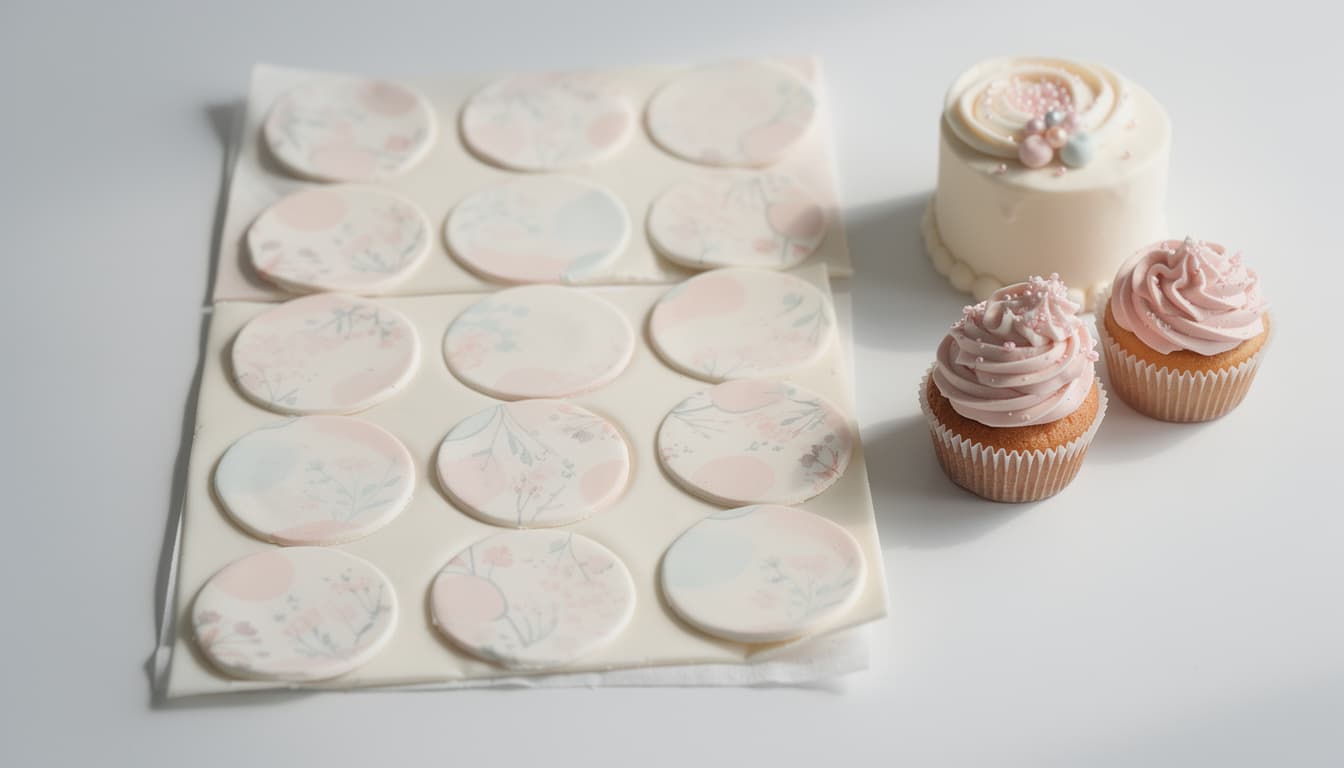
How to Make Print-Ready Custom Cake Toppers at Home (No Designer Needed)
A complete step-by-step walkthrough for making professional custom cake toppers at home — no design skills, no expensive software, just your browser and a printer.
Last updated 9 min readBy CakeyTops Team
Custom cake toppers used to mean a trip to a graphic designer, a fight with Photoshop, or a flimsy hand-cut cardstock circle that fell over the moment the candles went on. In 2026, you can make a print-ready, professional custom cake topper at home in under ten minutes — and this guide walks you through every step.
Why most DIY cake topper tutorials fall short
Most DIY cake topper tutorials fall short because they assume you already own specialist cutting machines, design software, or edible printing equipment. Search "how to make a custom cake topper" and you will find three kinds of tutorials: Cricut-only projects that require a £198 cutter, hand-drawn cardstock methods that look like a third-grade craft, and Photoshop walkthroughs aimed at people who already know Photoshop.
None of those work for a parent throwing a Saturday birthday party, a home baker taking custom orders, or a wedding DIYer with a bridal photo and a deadline. What you actually need is a browser-based design tool that handles three things well: cutting your subject out of its background, placing it in a clean shape, and exporting at print resolution.
What "print-ready" actually means (and why 300 DPI matters)
DPI stands for dots per inch — the number of ink dots a printer lays down across one inch of paper. Screens display at roughly 72 DPI, which is why a photo that looks sharp on your phone can come out blurry on paper. The print industry standard for sharp photos, text, and edges is 300 DPI.
For a 4-inch round cake topper, that means your exported file needs to be at least 1,200 pixels across (4 inches × 300 dots). Anything smaller will print soft, jagged, or outright pixelated. CakeyTops handles this math automatically — pick your topper size and the export comes out at the correct pixel dimensions.
What you need to make a custom cake topper at home
To make a custom cake topper at home, you need a clear source image, a browser-based design tool, printable paper or edible sheets, and a way to cut and mount the finished topper.
A photo or image — JPEG, PNG, or WebP, ideally 1,500 pixels wide or larger.
A printer or print shop — your home inkjet works for paper toppers; for edible toppers, you need an edible printer or a print service.
White cardstock or icing sheets — 250 gsm cardstock for paper toppers, frosting/wafer sheets for edible.
Scissors or a craft knife — the editor adds optional cutting guides to make trimming faster.
Recommended Supplies
Recommended edible printing setup
If you are making edible photo toppers or printed cupcake sheets, this is the setup we use in our own workflow: the icing sheets themselves plus the printer kit for in-house edible prints.
Affiliate disclosure: As an Amazon Associate I earn from qualifying purchases.
Used in our kitchenEdible printing
Edible Icing Sheets for Frosting Printing
The edible icing sheets we use for printed cake toppers, photo toppers, and repeated cupcake sheets.
These sheets give a clean finish, work well for photo toppers and cupcake sheets, and are the first option we point bakers to for edible prints.
Why we recommend it
Used in our own topper setup because the sheets feed cleanly and hold detail well for edible prints.
Photo toppers and edible cupcake sheets
A4 edible print workflows
Home bakers who want a dependable icing sheet option
A ready-to-print edible printer bundle — a Canon TS705A WiFi printer supplied with edible ink cartridges plus 25 icing sheets and wafer paper.
This is the kit we point bakers to who want their own edible-print setup without sourcing the printer, edible ink, and sheets separately. It arrives with the edible ink cartridges and 25 icing and wafer sheets, so you can start printing toppers, PYO paint palettes, and photo prints straight away.
Why we recommend it
Handy because it bundles the WiFi printer, edible ink, and a stack of icing and wafer sheets together, so you can print toppers and paint-your-own palettes at home without piecing the setup together yourself.
Home bakers starting edible printing from scratch
Printing cake toppers, cupcake discs, and PYO paint palettes
A WiFi printer that arrives with edible ink and sheets included
Step-by-step: from photo to print-ready cake topper
The fastest workflow is to choose a sharp photo, upload it, remove the background, set the shape and size, then export a 300 DPI file or sheet for printing.
1
Pick the right photo
The best cake topper photos have a clear subject (a face, a pet, a logo) and reasonable contrast against the background. Avoid blurry images, screenshots, and anything compressed by a messaging app — those compressions strip detail you cannot recover. Vertical phone photos work well; group shots rarely do.
2
Open the editor and upload
Head to the CakeyTops cake topper maker and drop your image in. You can upload more than one at a time if you want a sheet of multiple toppers — useful for cupcake toppers where you need 12, 24, or 48 of the same design.
3
Remove the background in one click
The built-in AI background remover isolates your subject in seconds. This is the single biggest quality jump in a custom topper — a clean cutout against your chosen color reads as professional, while a busy original background reads as homemade.
4
Choose your shape and size
Pick a shape (circle, square, rounded, hexagon, heart, star, or scalloped) and a size preset. For reference: 1.5" for mini cupcakes, 2"–2.5" for standard cupcakes, 4"–6" for cake toppers. Not sure how big to go? See our cake serving size guide to match the topper to your cake.
5
Add a border, background, or text
A 2–4 mm border in a contrasting color sharpens the topper visually. For birthdays, add the recipient's name or age in a serif font; for weddings, add initials or the date. Keep text inside the inner 80% of the shape so nothing gets clipped during cutting.
6
Export at 300 DPI — single or sheet
Hit export. For a single topper, you get a print-ready PNG sized to the exact inches you chose. For multiple toppers, the sheet export auto-arranges them on A4 or US Letter paper with cutting guides between each one. Designing is free; downloading the print file comes with a CakeyTops membership, first 3 days free.
7
Print, cut, and mount
Print on 250 gsm cardstock for paper toppers (or icing/wafer sheets for edible). Cut along the guides, then attach a wooden skewer or food-safe toothpick to the back with double-sided tape. Done.
CakeyTops Tool
Open the Cake Topper Maker
See the printable topper workflow, then continue into the editor when you are ready to design.
Paper, cardstock, or edible — which should you use?
Use cardstock for most party toppers, wafer paper for lightweight edible toppers, and icing sheets when you want a smoother edible photo print with richer colour.
Cake topper material comparison
Material
Best for
Cost
Difficulty
Standard printer paper
Test prints only
$
Very easy
250 gsm cardstock
Birthdays, parties, most events
$
Easy
Wafer paper (edible)
Edible toppers, soft texture
$$
Medium
Frosting / icing sheets
Premium edible toppers
$$$
Medium — needs edible printer
Acrylic (laser printed)
Wedding & luxury orders
$$$$
Hard — needs print service
Sizing guide: matching topper size to cake size
Match the topper to the cake's top surface: cupcakes usually need 1.5 to 2.5 inch toppers, while a single celebration cake usually needs a 3 to 6 inch topper depending on diameter.
Mini cupcakes: 1.5" round or square.
Standard cupcakes: 2"–2.5".
6-inch cake: 3"–4" topper.
8-inch cake: 4"–5" topper.
10-inch cake: 5"–6" topper.
Tiered cake: size to the top tier, not the base — a 4" top tier takes 2.5", a 6" top tier takes 3.5"–4".
Occasion changes the rest of it. A christening topper carries a full name and a date and is often kept afterwards; a Halloween cupcake disc needs a motif that still reads at two inches. The occasion guides cover the sizes, palettes, wording and materials for each one — birthday, wedding, baby shower and nine more.
Common mistakes to avoid
The most common cake topper mistakes are using compressed images, skipping background removal, printing on paper that is too thin, and forgetting to mirror two-sided designs.
Using a screenshot or social-media-saved photo
Both are heavily compressed and look soft when scaled up. Always use the original photo from your camera roll, not a screenshot of it.
Skipping the background removal step
A topper with the original background looks like a cropped photo. A topper with the subject cleanly cut out and placed on a solid color looks like a designed product. The difference takes one click and changes everything.
Printing on regular paper
Standard 80 gsm printer paper folds, curls in humidity, and cannot stand upright. Use 250 gsm cardstock minimum.
Forgetting to flip horizontally for a two-sided topper
If you want both sides visible (e.g., the topper rotates on the cake), print two copies — one normal, one mirrored — and glue them back to back with the skewer sandwiched between.
Frequently Asked Questions
Do I need design software to make a custom cake topper?+
No. A browser-based tool like the CakeyTops editor handles upload, background removal, shaping, sizing, and export at 300 DPI without installing anything. You only need a printer (or access to one) and cardstock.
What size should a cake topper be?+
Match the topper to the top tier of the cake: 1.5–2.5 inches for cupcakes, 3–4 inches for a 6-inch cake, 4–5 inches for an 8-inch cake, 5–6 inches for a 10-inch cake, and 5–7 inches for the top of a tiered wedding cake.
Can I make an edible cake topper at home?+
Yes, but you need either an edible-ink printer (around £158) loaded with frosting or wafer sheets, or you can send the design to an online edible-print service. The design process in CakeyTops is the same — only the print medium changes.
What file format should I export for printing?+
PNG at 300 DPI works for almost every printer and print shop. The CakeyTops editor exports in this format by default, with the exact pixel dimensions matched to the topper size you selected.
How do I attach a cake topper to the cake?+
For paper or cardstock toppers, tape a wooden skewer or food-safe toothpick to the back of the topper, then push the skewer into the cake. For edible toppers on icing or wafer sheets, lay them directly on the buttercream — they will adhere as the frosting sets.
Put the guide into practice
Use the tool from this guide
Open the relevant CakeyTops tool and put the advice above to work straight away.